
Understanding Fronius Error 475: 7 Effective Fixes for Adelaide Homes
When your solar system is running perfectly, it’s easy to forget it’s there—until something goes wrong.

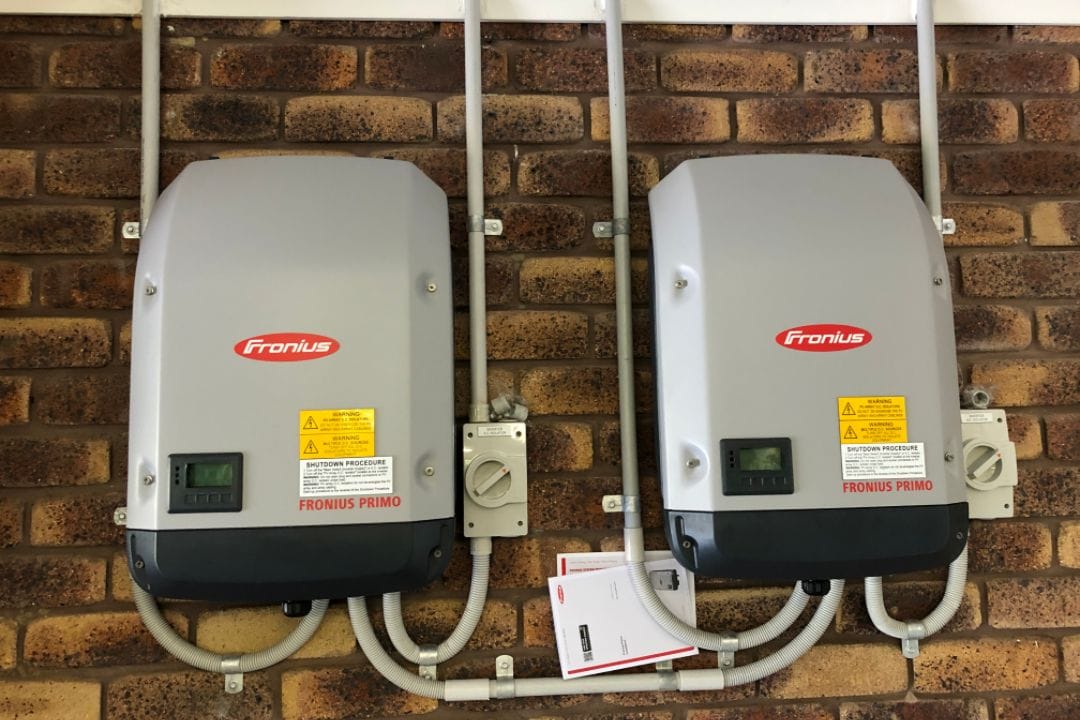
When your solar system is running perfectly, it’s easy to forget it’s there—until something goes wrong. If you’ve seen Fronius error 475 pop up on your inverter, it can feel like your solar setup is throwing a curveball. But what does this error actually mean, and is it as serious as it sounds?
In this blog, we’ll decode Fronius error 475, explain its causes, and provide actionable steps to fix it. Whether you’re running a home or a business in Adelaide, we’ve got the insights to keep your solar system shining.
What Is Fronius Error 475?
Fronius error 475 indicates a DC input voltage issue in your solar inverter. Simply put, the voltage coming from your solar panels is either too high or too low for the inverter to function properly.
This fault is common in both residential and commercial setups in Adelaide, especially if the system isn’t perfectly aligned with the inverter’s requirements.
Free 60-minute on-site assessment
A licensed electrician measures your roof and your bill. No phone quotes.
Why Does Fronius Error 475 Happen?
System Design Problems
If your solar system was installed with mismatched components, the voltage may be outside the inverter’s safe operating range.
- Panel Shading
Shading from trees, buildings, or even dirt on the panels can disrupt voltage levels, leading to solar inverter problems.
Faulty Components
Damaged or malfunctioning solar panels, cables, or connectors are a common culprit.
Weather Extremes
Adelaide’s scorching summers or chilly winters can affect panel performance and trigger Fronius error 475.
7 Ways to Fix Fronius Error 475
Check the Voltage Range
Use a multimeter to ensure the DC voltage aligns with your inverter’s specifications.
Inspect Panels for Damage
Look for cracks, dirt, or shading that might be reducing voltage output.
Review Wiring Connections
Loose or damaged wiring can easily disrupt the voltage balance.
Restart the Inverter
Turn off the system, wait 5 minutes, and restart to see if the error clears.
Consult the Manual
Your Fronius inverter manual often contains model-specific troubleshooting tips.
Professional Maintenance
Call in experts like Deionno Electrical to handle fronius inverter repair and ensure your system runs efficiently.
Upgrade Your System
If your system is outdated, consider upgrading components to prevent recurring solar inverter problems.
Preventing Fronius Error 475
Prevention is always better than repair! Here’s how you can keep your solar system in top condition and minimise the chances of encountering Fronius error 475:
Clean Your Solar Panels Regularly
Dirt, debris, and bird droppings can block sunlight, reducing voltage output and causing errors. Cleaning every few months can help.
Ensure Panels Are Installed in Unshaded Areas
Shade from trees, buildings, or other structures can disrupt your panels’ ability to generate consistent voltage. Trim foliage or adjust panel placement as needed.
Monitor System Performance
Use your inverter’s monitoring app to track performance and catch unusual behaviour early.
Schedule Professional Maintenance
Arrange an annual maintenance check with experts to identify and fix small issues before they become major problems.
Check for Weather-Related Impacts
Adelaide’s weather can be harsh. After storms or extreme heat, inspect your panels for signs of damage or reduced efficiency.
Upgrade Components if Needed
Replace outdated panels or inverters to improve efficiency and reliability over time.
Dealing with Fronius Error 475?
Don’t let it disrupt your solar power in Adelaide. At Deionno Electrical, we specialise in resolving solar inverter problems, from fronius inverter troubleshooting to complete solar repair service.
Whether it’s a quick fix or a long-term solution, we’ve got you covered.
Contact us now to get your Fronius inverter repair done by the experts.
Frequently asked questions
What causes Fronius error 475?
Fronius error 475 occurs due to incorrect DC input voltage, often caused by shading, faulty wiring, or system design issues.
How do I fix Fronius error 475?
To resolve Fronius error 475, check the voltage, clean your panels, and ensure all wiring is secure. If the error persists, consult an expert for fronius inverter troubleshooting.
Can I prevent Fronius error 475?
Prolonged issues may strain your inverter, but timely solar repair services can prevent further damage.
Who can help with Fronius inverter repair in Adelaide?
Deionno Electrical provides reliable fronius inverter repair and solar repair services to fix any solar inverter problems.
 Written by
Joe Deionno
Started in 2017 after years of subcontracting and seeing the dodgy operators at work; set out to be the installer people could trust. Oversees every install in both states.
Related guides
More solar repairs guides from our electricians.
Swipe to see more

The Complete Guide To Zeversolar Inverter Error Codes
All 27 Zeversolar and Eversolar error codes in plain English: what each number means, how urgent it is, how to reset your inverter safely, and what to replace it with now the company has closed.
Read more
The Complete Guide To Omnik Inverter Error Codes
All 20 Omnik and Trannergy error codes in plain English: what each one means, how urgent it is, how to restart safely, and what your replacement options are now Omnik and its portal are gone.
Read more
The Complete Guide To Tesla Powerwall Error Codes
All 15 Tesla Powerwall alerts and error messages in plain English: what each one means, how urgent it is, how to restart safely through the Tesla app, and when it needs Tesla’s own service.
Read moreServices this guide relates to

Ready to start?
Book a free 60-minute on-site assessment with one of our licensed electricians.
Free 60-minute on-site solar and battery assessment. No obligation.

$0 power bill guarantee
Arrange your free 60 minute on-site Solar & Battery Assessment in 30 seconds!
Which state is your home in?
Do you own your home?
Unfortunately, we only work with homeowners
If you are considering solar for a new home, or on behalf of someone else, select "I own my home"
We only work with homeowners
A solar or battery system is a permanent change to the property, so it needs to be arranged by the person who owns the home.
If you tapped that by mistake, head back and we'll pick up where you left off.
What are you looking for?
Our team can talk you through all options if you're not sure.
What appeals to you most?
You'll get all of these. We'd just like to know what matters most.
How much is your quarterly electricity bill?
The average Adelaide home spends $500 - $1000 per quarter. Not sure of yours? Take your best guess, we'll go through the real numbers at your assessment.
Whatever it is today, our goal is $0. If we don't get you there, we'll pay your bill.
How soon are you looking to get a system installed?
We can work with you on a longer timeline, or get you saving as soon as possible.
What is your address?
We have hundreds of happy customers across South Australia. We need your address to check we service your area and to look at your roof before we visit.
Great news, we service your area!
Anything else to share?
Every system we design is tailored to the home, so the more info the better! (Optional)
How should we get in touch with you?
Last step. We'll call to arrange your free on-site assessment at a time that suits you. No pressure and no obligation.
Request sent, we'll be in touch!
Do you want to skip the queue?
Call to speak directly with a solar specialist during business hours, and we can get your free on-site assessment booked in straight away.
📞What happens next?
- 1We'll give you a call
If you haven't called already, we'll give you a call to say hello.
- 2Discuss your needs and goals
We'll chat about what you're looking for, how we can help, and book in a time for your on-site assessment that suits you.
- 3Your free on-site assessment
We visit your home for 45 to 60 minutes to measure up the roof, check the switchboard and review how you use power.
- 4We send your detailed quote
A tailored proposal with the system design, the savings and the pricing laid out in full.
- 5We design and install
If you're happy with the proposal, our in-house team installs it and shows you how it all works.
 4.9Google · 530+ reviews
 4.8SolarQuotes reviews